
Is your system under an adware attack? I am not asking about those irritating television advertisements that keep bombarding users. Rather, I am talking about those foul programs that redirect you to malicious websites. Nothing is more irritating than having your computer or phone stuffed with advertisements from both browsers and programs. At times, this becomes so awful that you can’t catch a break! It is in such a time that an adware cleaner application is necessary. Below are some of the best adware removal tools, let’s elaborate a bit on adware first. Of course, I do expect you to ask, ‘Why do I need an adware removal software if I’ve got the antivirus already?’ And, it’s a valid question in a world where we have the best free antivirus software! But, if you look at our reviews of the best security tools in the world, you will find that few will delete or block adware!
Yes- some of the best-paid antivirus apps come with an inbuilt anti-adware feature or cover adware as another type of malware. Yet, not all the AVs do! The antiviruses do not detect most malicious adware programs because the adware’s code does not present itself as a malware or virus, so most antiviruses skip it during scanning.
Also, some adware come hidden within or by another program in a Trojan format. Thus, during the scanning, the antimalware finds the shell software instead and allows it to install! And, this brings us to the question of what adware really is?
So, is adware a dangerous animal in the woods?
An adware is a program that presents advertisements on your browser or other apps on your device. It’s one of the many varieties of malware that can attack your device. The programmers aim to raise funds from advertising on programs; in short, they are part of the software you install. This legal form of adware comes as part of free software so that they can raise enough to recompense their production costs. Afterall, is there anything truly free in this world?
I don’t intend to talk about the legal adware, though. Of course, this is the kind of program used by most apps on the Google Play or iTunes. Google AdMob pays developers to place adverts on such apps, and is the largest source of their ROI next to In-App Purchases (if they offer it).
But it’s the obnoxious kind of adware that is today’s subject. It gets its way on to your computer, tablet, or mobile phone and then tries to snatch your comfort! The malicious program takes everything over – including your search engine and social media. It becomes worse when you try searching for something simple, like ‘Best Kodi Addons’ on Google, only to be directed to a dating site! You have experienced that one already, right? Me too- but how do you know it’s because of adware?
Adware Symptoms: How to Know a Device has Adware
While this sounds rather medical, it doesn’t change the concept! When your device is under attack from adware, you can tell from the JavaScript content it displays. Malicious people who want to force you to be part one of their market base design the program and write the code. Instead of using the right channels to market their sites or products, they force themselves on you! Here are some of the key symptoms that their adware has infected your system:
- The browser displays adverts whenever internet data is on,
- Links on the search engine redirect to NSFW websites,
- Facebook warns you that you are suffering from a suspicious program (this one is kind of obvious, guys),
- Your browsing is disrupted with unnecessary pop-ups, and
- There are ridiculous ads enticing you to change your Facebook theme.
Well, you can continue to name the various problems that indicate that you may be suffering from an adware attack. For sure, your browsing becomes so hectic that you’d feel relieved to throw the gadget through the window! But before you hurl that adware infested laptop at the wall, how could you advise someone to stay safe?
How to guard your Mac, Android or Windows device against adware attacks
Do you need a padlock on your computer’s door? That can’t be logically achieved, but you need to find fruitful surfing techniques that keep you safe while browsing. Without any doubt, the adware come from the internet in one form or another – they are installed from your browsing escapades. Sometimes, you don’t even have to know they are downloading- it is automatic with opening some sites. So, you must be keen to follow our guidelines on how to stay safe online. Here is a quick recap:
- Do not download any unverified app,
- Avoid visiting any torrent download sites,
- Avoid watching videos from suspicious sites,
- Do not install any questionable software on your computer or device, and
- Thou shalt not open malicious websites.
Unless yours is a Nokia 1110 or Siemens C35, you obviously need to visit the internet. And, if the laws above were part of the ten commandments, I’d start preparing you for the reality of purgatory! So, to ensure your device remains safe from these malicious and insolent attacks, a top adware removal program is a necessity!
The 25 Best Adware Removal Tools
An adware may not be a virus per se, but it’s a dangerous program. As I asserted in a previous article, malware like adware won the ‘Battle of Bastards’ already! Viruses are not as precarious as malware. In a major culture change, hackers no longer waste their time tainting the image of other software companies. Shocking, right?
Instead, they have decided to build their own products using unorthodox means. Of course, their end goal is to make money- and that’s why they choose to advertise on your computer or phone without your consent- they are criminals, afterall.
Don’t worry about the make of your device – adware cleaners are available for Mac, Windows, Linux, and Android amongst other operating sytems. Also, the adware removal apps will also wash your Chrome, Firefox, Internet Explorer/Edge, or Safari internet browsers. If you want to remove irritating adverts from your phone or computer, be sure to use the best adware cleaner programs listed below!
1 MalwareBytes Anti-Malware Pro
 A leader in the anti-adware software industry, MalwareBytes is a stern antivirus and adware removal tool. It’s the kind of program you install to remove all kinds of malware. If Trojans, adware, spyware, or rootkits have attacked your device, run MalwareBytes and you will have a reason to thank me! You can download the adware removal Android app or Windows and Mac versions. To be brief, here is a summary of the benefits you get from MalwareBytes Anti-Adware.
- The MalwareBytes adware remover is free
- It is also available with the MalwareBytes Antivirus software
- MalwareBytes Adware tool works well in combination with AVG, Avira, Norton and other AVs.
2 BitDefender Adware Removal Tool
 BitDefender is a Romanian IT security company that never stops providing the best tools! While their antivirus program is one of the best rated, their adware tool is, too! Coming from a great name in the internet security world, you have all reasons to trust the Bit Defender Adware Cleaner. If your device is a Mac or Windows, then you are the perfect reason they made the BitDefender. It’s one of the finest advert deleting software downloads for Windows XP all the way to 10. And, the software comes with several benefits. Here are some of them!
- Deep scanning to unearth all adware
- It has a broad scope review of tabs, toolbars and installed software. BitDefender disables all advertising programs before they can get to your PC.
- BitDefender Adware Washer also removes keyloggers
- It is a discounted app for anyone who buys the BitDefender Antivirus.
3 AdwCleaner
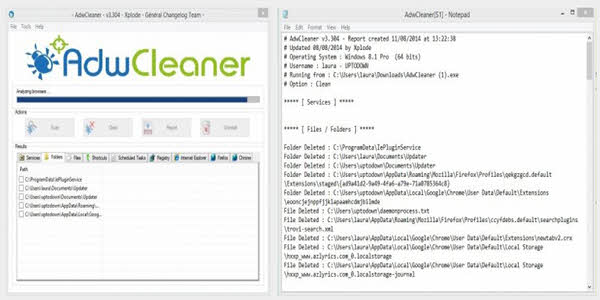 If you want a broad-spectrum anti-malware tool, AdwCleaner is a remarkable pick! With AdwCleaner, your online security is guaranteed. In most cases, adware and malware find their way to your phone or computer from the installation of other software. But, AdwCleaner tracks adware and cleans them all! Again, AdwCleaner lets you choose which programs you specifically want to scan, saving time and effort if you already have an idea of the source of your problems. The Adware Cleaner is free and compatible with all Windows Operating Systems. Here are some of the benefits you get from trusting the AdwCleaner stubborn ad remover.
- It is lightweight, only consuming 2.1MB of your disk space
- You can choose specific programs for scanning
- It helps protect you from phishing and other social engineering attempts.
4 Ad-Aware Free Antivirus+
 If you are looking for an antivirus that has an adware protection, Ad-Aware is another option available to you! The Ad-Aware antivirus may not be as good as Kaspersky or other big names, but the adware protection is impeccable! Also, the software lets you fight downloadable adware as well as those which clump on websites. The adware cleaner is compatible with any device or operating system you have, but it works best with Windows and Mac.
Here are the reasons you need to give Ad-Aware a shot!
- Frequent automatic updates
- Real-time web protection
- Email scanning and online security
- Ad-blocking on the web
- Broad-spectrum virus, adware, and malware cleaning.
5 RunScanner
Whenever adverts disturb your computer, RunScanner will scan and compile an analysis report. After scanning, the logs are saved on the location you’ve selected. RunScanner works best on Windows. Here are some of the RunScanner features.
- RunScanner has a simple, easy to understand interface
- The security software cleans drivers and toolbars
- Zero system requirements for installation
6 ComboFix
Another adware cleaner strictly for Windows, ComboFix is a free anti adware software. Despite being free, it has fantastic features comparable to premium antimalware software. Here are some of the features that have made ComboFix to be part of this list! Oh, Combo runs easily on Windows 7, Windows 8, and Windows 10!
- Registry back up
- System scanning
- An ample detailed report on the adware removed or stuck on your computer
7 SpyBot Search & Destroy
 Tens of the top tech sites rate Spybot Search and Destroy as the best adware removal tool for Windows. In fact, the adware washer is compatible with all versions of Windows, even legacy versions going all the way back to Windows 95! Well, many tech publications shave given it the nod, and I don’t intend to disagree. In fact, on 2Spyware, Spybot tops! If readers haven’t realized by now, this list is not ordered by product merit, so please keep that in mind! In brief, here are the features that make Spybot a program worth trying.
- Botnet scanner
- To keep malware away, SpyBot Destroy modifies host-files
- Secure File Shredder
- Tools replace adware with inactive code
8 Adware Removal Tool
 They got the best brand name for an adware cleaning software, right? Well, okay, maybe it does sound a bit fake. But, with this anti-adware program, you can literally fight any clustering of ads from a website. If you are angered by too many adverts and pop-ups on a website, try it! The TSA security company is the brainchild to this top adware cleaning software! Reviews are subjective because they don’t list the removal tool at the top, yet many first hand users agree that the TSA adware cleaner detects even the minutest of adware codes!
Like other security providers, TSA is trying hard to work on the Trotux issue. The tool is compatible with Windows. After launching in 2015, the Adware Removal Tool skyrocketed to the prestigious position of the top adware-deleting software downloads. If you have a look at the adware cleaners below, you might understand why!
- Easy to use and attractive interface
- Allows you to wash away all malicious advertising programs
- Reboots to complete the adware deleting process
- Scans for any hiding adware browser toolbars, codes, and programs from your device
- Users agree that only Adware Removal Tool by TSA Review can remove Reimage Plus adware
- Works well with the three major browsers: Explorer, Chrome, and Firefox.
9 Norton Power Eraser
 From one of the biggest names in the security world comes Norton Power Eraser. Of course, having mentioned the name Norton, the rest is self-explanatory. The Power Eraser adware cleaner leaves no stone unturned when fighting adware! Then, it is a broad-spectrum malware fighter. So, be sure to use the program if you want to kill rootkits and other forms of malware as well as adware. When you finish cleaning your PC, you can go ahead and uninstall or disable the Norton Power Eraser software if you so choose. The Norton adware deleting tool runs comfortably on Mac, Windows, and Android. Do note that if it asks you to reboot after installation, be ready to do so!
10 SUPERAntiSpyware
Well, SUPER Anti Spyware is another Windows antimalware and Adware software. Although it’s not free- it goes for $30 on Amazon at the time of writing- the anti-adware has many lucrative features that make it worth the low purchase price. If the purchase is a deal breaker, though, it has a free version that includes basic features such as scanning and adware removal. The paid version is stuffed with important features such as the following:
- Real-time anti-adware
- Scheduled scanning
- Wide-range diagnostics and malware protection
Furthermore, Super Anti Spyware is comfortable running alongside Avira, McAfee and other first class antiviruses. No doubt, the SuperAntiSpyware is one of the best adware cleaners for Windows. If you subscribe to our tech news, you’ll be the first to know when they come up with an edition for Mac or iOS!
11 SlimComputer
If you want to boost your computer’s performance, then you need SlimComputer. This program runs on your Windows to eradicate unnecessary toolbars and programs. For instance, SlimComputer anti-adware fights ‘trialware’ too! In the long run, the program boosts your computer’s speed. To be brief, here are the features of the SlimComputer adware cleaner:
- Nourishes computer speed
- Deletes adverts and trial-ware from your computer
- Slim Computer adware cleaner also has an ergonomic interface
- Slim computer adware remover has three modes: the moderate mode (default), the Passive mode for first timers, and Aggressive mode for expert users. The Aggressive mode has all the features!
12 RegRun Reanimator
If you ever want a free adware removing software that can detect rootkits and adware, try RegRun! You can choose from a wide range of options the way you want your tool to work. For instance, you can restore deleted files using the Restore Manager. Or, you can delete and remove adware anytime!
13 FreeFixer
As the name suggests, FreeFixer fixes all malware and adware issues. The app has the potential to scan and delete apps, codes, and programs. It’s available for Windows. Here are the FreeFixer pros!
- Fixes apps and tools that contain adware codes
- Portable on a USB flash drive
14 AdwareMedic Adware Removal Mac
 If you are a Mac lover, then you should use the AdwareMedic Cleaner! Of course, you need good adware medication to keep your beloved Mac safe! The Adware cleaner is so good that it washes unnecessary ads away without any installation. In fact, you only need to download and launch the app, then let it do its work! But, you should be ready to cope with the fact that it does not have the coveted beef with other types of malware. Now, here are the features of this amazing adware removal!
- It does not require any installation
- AdwareMedic removes adware in Mac in a single touch!
- AdwareMedic receives regular automatic updates.
15 MalwareBytes Junkware Removal Tool
From MalwareBytes comes yet another great security software- the JunkWare Removal Tool! Also called the JRT (Junkware Removal Tool), the anti-adware program has a broad-spectrum style of dealing with malware. The anti-malware will detect and delete all forms of junk and spam-folders from your disk. For the raw data, here are the features of the MalwareBytes Junkware Removal Tool:
- It is a free adware malware removal tool
- Frees memory by deleting unnecessary folders and files
- MalwareBytes will create a parallel restore point to access deleted files. If you have ever lost Word Docs, pictures, or videos from your computer, you might understand why this feature is particularly important. Take note students!
- At request, the MalwareBytes Junkware Remover can get rid of unwanted addons from your browser. For instance, JRT will deal with Conduit, Ask, and similar forced Search Engines.
16 Free Antispyware
Free AntiSpyware not only keeps your browsing private, but it also scans and deletes adware from your device. Also, AntiSpyware deletes Trojans, keyloggers, and dialers. But, it is not easy to download the software using ordinary browsers. So, you may need to try the free download manager. Again, you must be all eyes, lest it installs other software! Although Free AntiSpyware has a large following, which is why I’ve included it, I honestly don’t like it. But who am I to judge your preferences?
17 RemoveIT Pro Adware Cleaner
Forget the Pro title- RemoveIT is a free adware cleaning software with a high detection rate. It’s able to detect and delete all forms of adware from your device. The app is simple to use, and you can get the free download from the website.
18 TC-Spy
When you want a quick, free-to-download anti-spyware and adware removing program, let TC-Spy be at your fingertips. The free software protects computers against upcoming risks. Also, the app is ideal because it prevents a broad range of attacks. Again, you can manage tasks, programs and access adware data safely on the TC-Spy interface. And, the Program Management page uninstalls apps you don’t like.
19 HitManPro Adware cleaner
Like the proverbial HitMan on WrestleMania, HitManPro hits and wrestles all Malware. Apart from detecting and deleting malware, HitMan will work on viruses too. So, all malicious adware face a death penalty in the hands of the HitManPro adware remover! Here are some of the reasons you may want to give HitManPro a shot!
- Cloud technology enables secure deletion using Emsisoft, Kaspersky among other leading antiviruses
- Behavioral sensing to notice malware that’s not on the databank
- Fast and lightweight
20 NoVirusThanks Malware Remover
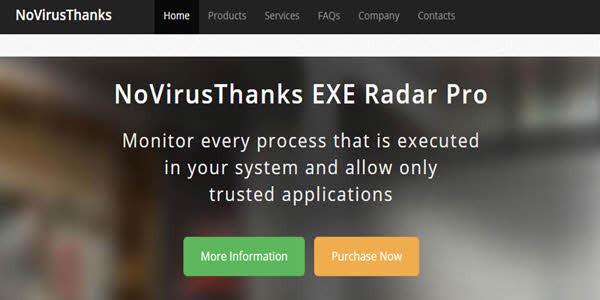 With this anti-adware, the slogan is No Virus, Thanks! As it suggests, the app scans and deletes malware. The installation is simple because it is lightweight, like many of the software listed in this article. Also, NoVirusThanks is easy to navigate and customize.
21 MalwareFox Premium adware removal app Free Download
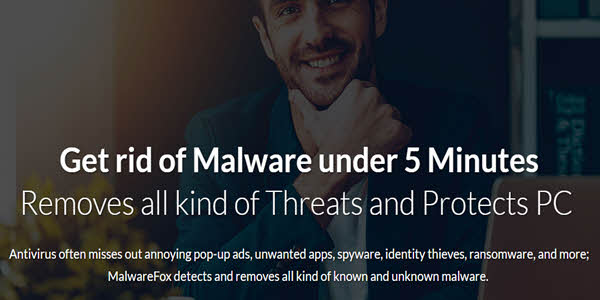 MalwareFox boasts to hunt adware and other malware that not even an anti-virus can. To the larger extent, it does! Yes- it fights a broad range of malware, and it’s not a specialist for adware alone. Yet, that does not stand in MalwareFox way of detecting or canceling pop-ups and stopping redirects. Find the main features of MalwareFox Anti-Malware below!
- MalwareFox has behavioral detection to notice even the least-known malware
- Besides adware, MalwareFox removes other malware too
- Blocks pop-ups and redirects
- Efficient real-time protection
- Compatible with other AVs
22 EMCO Malware Destroyer
If you want a free anti-malware to delete adware from your PC and uninstall unnecessary freeware, put EMCO in your checklist! The Malware Destroyer will uninstall unnecessary programs, scan and remove malware and recognized adware. And, it will do all these without slowing your machine. EMCO has an ergonomic UI to boot, if that’s a breaking point for you.
23 Zemana adware deleting software
 The current world trends project to a case where cloud-based apps are going to sweep the world of tech! Normally, cloud-based software is smart, fast and light on your device. No wonder, Amazon Echo and Google Home are both intelligent cloud-based appliances. And, Zemana adware cleaner knows this, too. Unfortunately, this necessitates an internet connection to function. In brief, here are the soft sides of the Zemana adverts blocker for PC.
- Fast and light
- Antivirus scanning in the cloud
- Near-perfect solution for clearing adware from devices
24 HijackThis Malware Analysis
When it comes to analyzing log files and computer security reports, you need an experienced team. Hijack This is an app that gets your log files, determines the malware codes and asks you to confirm and delete them rather than doing it automatically. As would be expected, it’s not right to recommend this app to people who are not advanced in computer technology. But, if you are good to go, you can use the software to check which problems are slowing your computer. Also, you can use HijackThis alongside reputable antiviruses to delete adware.
Bonus anti-adware
25 Microsoft’s Adware Removal Tool
My readers always win! Though perhaps not the best on the market in comparison to some of those previously listed, Microsoft’s anti-adware deletes a large scope of malware. So, if your device has Blaster, Mydoom and Sasser, delete them using the software. It supports all current versions of Windows OS.
Now, here is the way to go!
No doubt, malware is the new big problem in today’s technology. While viruses damage your computer or phone, malware target to exhort you! Yes, the viruses attack your device, but the malware go for you! Adware codes advertise on your computer or phone without your consent. In severe cases, adware slows your device and stress you up! It is to delete them all using the best adware removal tools! Well, my personal favorite is AdwareMedic. Which is yours?
Top/Featured Image: By bykst / Pixabay
